Photo Mode is a staple in most big games nowadays — it lets you capture moments that are particularly special to you with stylized filters, or allow you to make a silly pose in front of a scary boss. And, thanks to the Summer Update, Hogwarts Legacy now has this feature as well! In this guide, we will go over how to use Photo Mode.
How to Use Photo Mode
Getting into Photo Mode is quite simple — when you’re in the pause menu, just press and you will be brought into the Photo Mode menu.
From here, you will have a wide range of options to take your picture! On top of being able to freely move the camera all around your scene, you can change things such as the tilt of the picture, exposure, film grain, and so much more.
You can fully represent your house with house-specific filters, frames, and emblems!
There are also several customization options for your character and their surroundings. You can put your character in several poses, or even remove them from the picture entirely (for those gorgeous landscape shots). Then, for the surroundings, you can change the time of day for the picture, or even the season.
Once you’re happy with your picture, you can hide all of the UI with , then press to take your photo! Take full advantage of this feature to capture your favorite moments throughout your adventures!
Share this article:
KainHighwind27
I'm a huge gamer who especially loves the Final Fantasy series. I will play just about any game, especially if it has anything resembling a Dragoon.


 and you will be brought into the Photo Mode menu.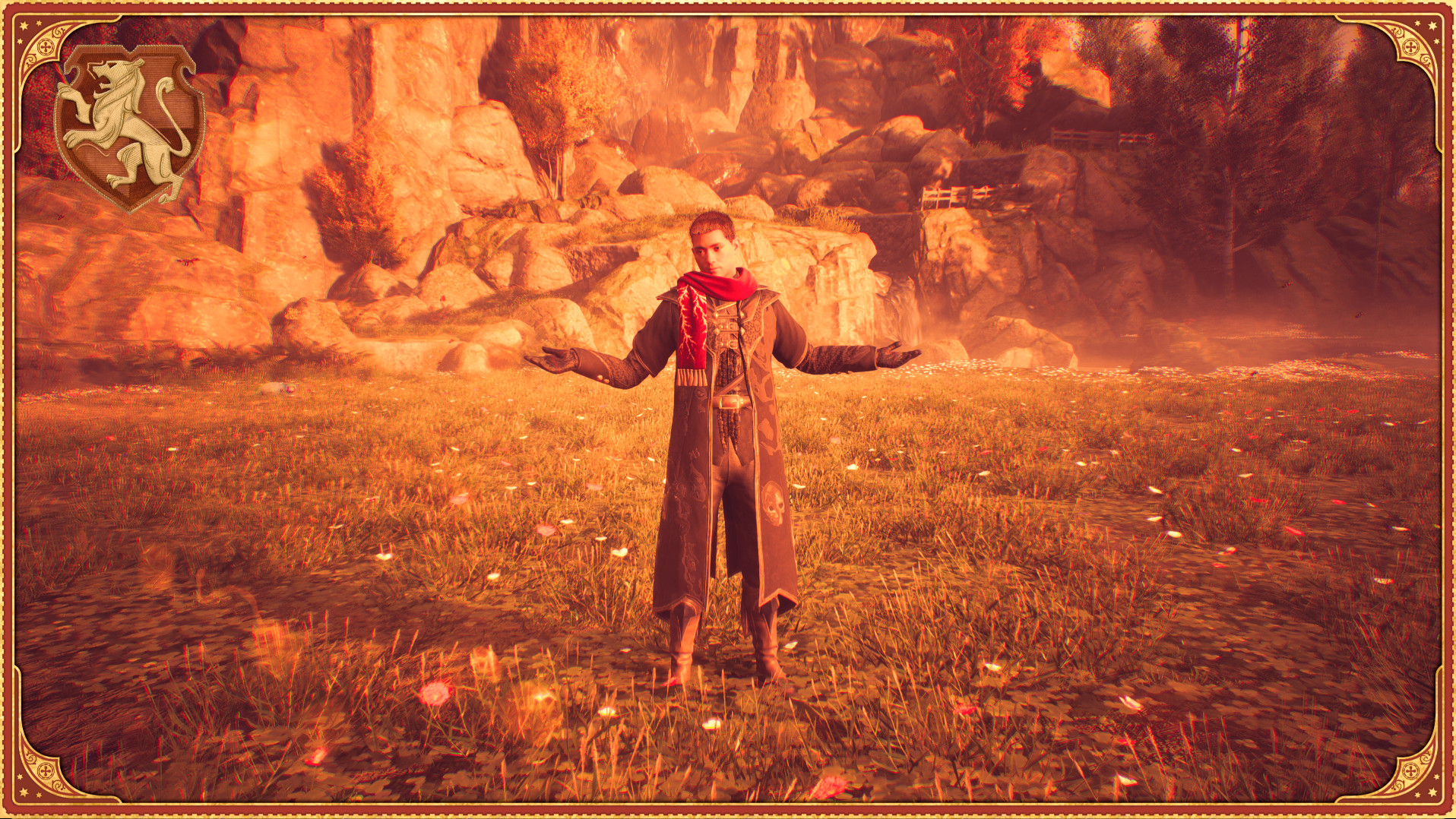
 to take your photo! Take full advantage of this feature to capture your favorite moments throughout your adventures!