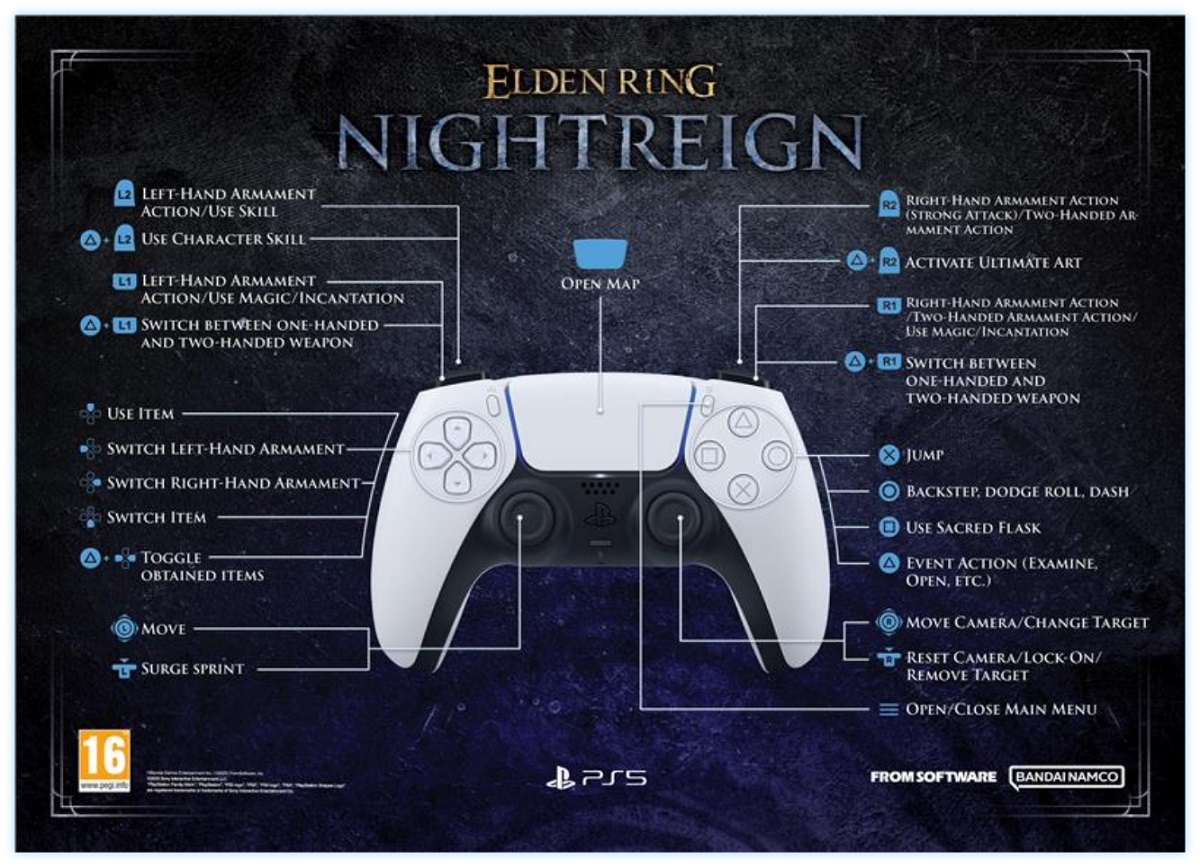
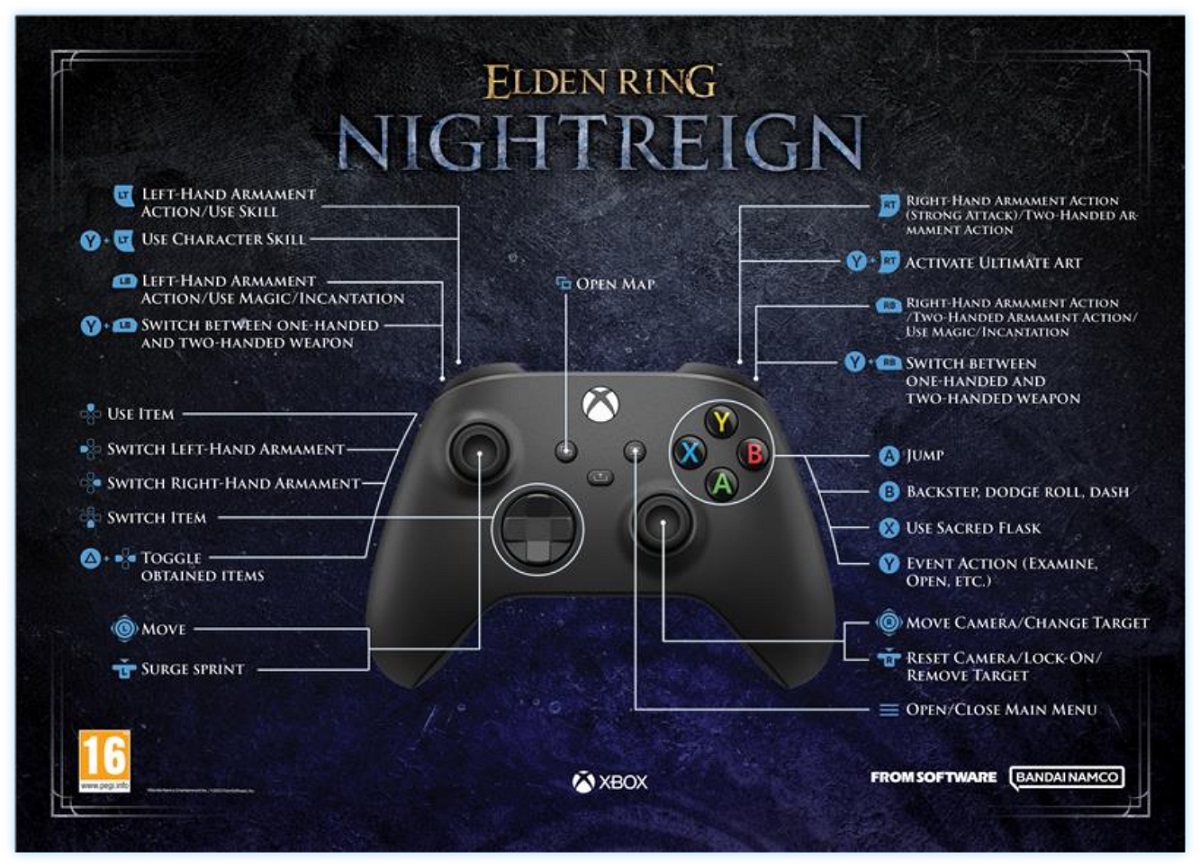
Elden Ring: Nightreign is a game with a deep combat system that utilizes every part of the controller, and quite a few keyboard keys if you go for that control scheme. Here, you’ll be able to learn what all those buttons and keys actually do.
Nightreign Controls
You can check or modify the controls by going to the Main Menu>System>Controller Settings.
Control
PlayStation
Xbox
Keyboard+Mouse
Move
, , ,
Move Camera/Change Target
Mouse Movement
Surge Sprint
Alt
Reset Camera/Lock-On/Remove Target
Left-Hand Armament Action/Use Magic/Incantation Guard when equipped with a Shield in the Left Hand/Two-Handed Armament
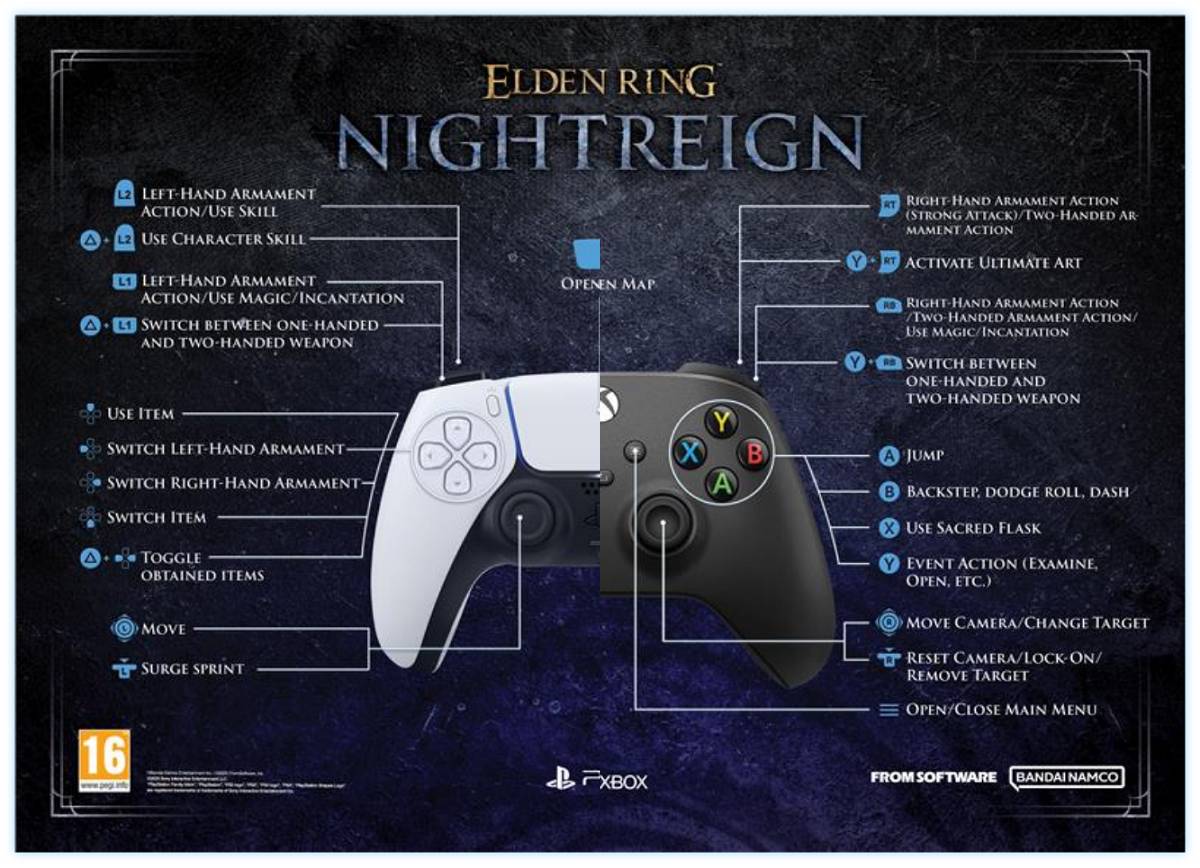
And if you’d rather visualize the buttons, you can check out these official controller layouts:
All /Combinations
Y/△ button is often used as a modifier button that unlocks access to a number of crucial features. If it helps to view them all in one list, here are all of the combinations:
Hold down & / | /) — Switch between one-handed and two-handed weapon
Hold down & | ) — Set player’s position Pin
Hold down & — Use dropped items on the spot
Hold down & — Toggle items (reverse order)
Hold down & / — Toggle obtained items
Share this article:
Val Hull
Resident role-playing RPG game expert. Knows where trolls and paladins come from. You must fight for your right to gather your party before venturing forth.




 ,
,  ,
,  ,
, 









 +
+ 




























 /
/